10 Best Claude Skills Directory in 2026
Compare the 10 best Claude skills directories for B2B SaaS marketers. Open-source repos, curated marketplaces, and enterprise platforms ranked by catalog depth, integration ease, and pricing.

10 Best Claude Skills Directory - SkillsMD.Pro
Finding the right Claude skills directory shouldn't feel like assembling a puzzle blindfolded. You know you need reusable AI agents and modular skills to automate GTM workflows, but most directories are either abandoned GitHub repos or overhyped SaaS wrappers with paywalls. According to Anthropic's 2024 Claude Developer Report, over 60% of teams building with Claude cite skill discoverability and workflow modularity as top friction points when scaling AI operations. A good Claude skills directory solves this by organizing open-source skills, plug-and-play agents, and tested automation templates into one accessible library. This list evaluates the best Claude skills directory options based on catalog depth, ease of integration, pricing transparency, and suitability for different technical skill levels.
TL;DR
-
Claude skills directories help B2B SaaS marketers automate outbound, GTM, and content workflows using open-source AI agents and plug-and-play skills.
-
Top Claude skills directories like Skills.sh, Skills Directory, ColdIQ, and Awesome Claude Skills offer thousands of free, modular AI skills for tasks like lead list building, content automation, and campaign planning.
-
Free Claude skills directories integrate easily with Claude Code via CLI installers, support rapid prototyping, and require minimal upfront cost, making them ideal for technical teams.
-
Consider workflow needs, technical ability, and integration requirements before choosing your Claude skills directory.
-
Premium options like Metaflow AI add compliance-ready reporting and enterprise integrations but come with higher costs.
What's inside
This guide compares ten Claude skills directory platforms across key dimensions: catalog size and quality, integration simplicity, pricing models, and best-fit use cases. You'll find breakdowns of free open-source repositories, curated marketplaces, and enterprise-grade platforms. Each option is evaluated on how well it supports rapid workflow prototyping, technical accessibility for non-developers, and long-term scalability. Expect direct comparisons on features, transparent pricing notes, and practical guidance on when each directory makes sense for your team's constraints and growth stage.
What is claude skills directory
A Claude skills directory is a centralized catalog that helps teams discover, deploy, and manage reusable AI agent skills and workflow templates built for Claude. This category includes solutions like open-source GitHub repositories with community-contributed skills, curated marketplaces offering vetted automation templates, SaaS platforms with pre-built agent libraries, API-first skill registries designed for programmatic access, and hybrid workspace tools that combine skill discovery with execution environments. A well-structured Claude skills directory improves decision speed by reducing the time spent searching for proven automation patterns, increases operational efficiency by offering plug-and-play components instead of building from scratch, and lowers technical risk by surfacing tested skills with transparent documentation and usage examples.
When to use claude skills directory
A Claude skills directory becomes a sensible choice when your team is moving beyond one-off AI experiments and needs repeatable workflows that scale. This typically happens when you're automating multiple GTM functions like outbound sequencing, content production, or lead enrichment and want to avoid rebuilding similar logic each time. It's also the right move if you lack dedicated AI engineering resources but still need production-grade automation, or if you're comparing different skill implementations to find the best fit for your stack and constraints. Readiness signals include having a clear workflow outcome in mind, access to Claude API or Code environments, and enough technical comfort to integrate pre-built skills into your existing tools. If you're still defining what automation looks like for your team or prefer fully managed solutions with zero configuration, a skills directory may introduce more complexity than value at this stage. GuideFlow will be covered as one option that balances pre-built intelligence with hands-on control for growth teams.
Top Claude Skills Directory Tools and Their Best Use Cases
This Claude skills directory table lists standout tools for B2B SaaS teams, marketers, and technical users, highlighting their best-fit uses (from skills mapping and outbound automation to no-code data extraction and open-source skill libraries).
| Claude Skills Directory Tool | Best for |
|-------------------------------|---------------------------------|
| SkillsMD Pro | Team skills mapping |
| Skills.sh | Skills leaderboard & installer |
| Skills Directory | Security-verified skill catalog |
| Skills Playground | Cross-platform skill discovery |
| Anthropic Official Skills | First-party reference skills |
| Obsidian Skills | Obsidian workflow automation |
| Skill CLI Directory | Curated skills with CLI tooling |
| SkillsMP | Large open-source skills library|
| ColdIQ Skills Directory | GTM/outbound automation |
| Awesome Claude Skills | Plug-and-play skill scripts |
1. SkillsMD Pro
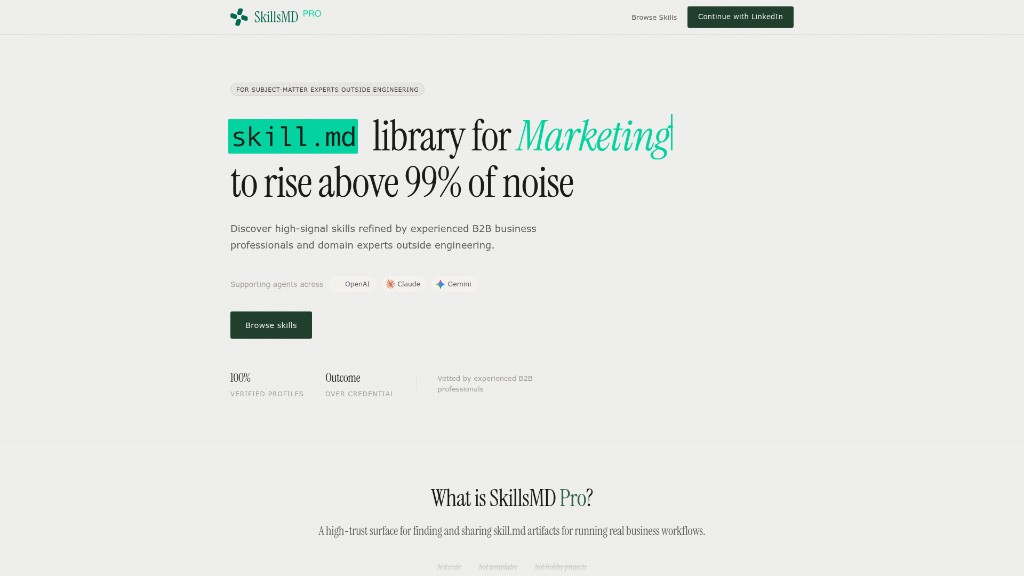
SkillsMD Pro is a dedicated skills management platform designed to catalog, audit, and analyze your team's competencies in detail. It serves as an automated, structured, and always-updated "skills inventory spreadsheet," helping organizations reduce guesswork about team resourcing and identify gaps for upskilling and training investments. Especially useful for established SaaS teams, it integrates with HRIS and LMS systems at higher tiers and offers robust reporting for detailed executive overviews and compliance.
Pricing
Entry pricing starts at $100/month. Advanced features such as SSO and API sync unlock only at higher plans. There is no free tier, and costs can scale quickly for large organizations.
Pros and Cons
Pros
-
✅ Robust reporting and analytics
-
✅ HRIS/LMS integrations (enterprise)
-
✅ Detailed skills gap analysis
Cons
-
⚠️ No free plan
-
⚠️ Pricey for large orgs
Key highlights/features
-
Centralized platform for cataloging and auditing team competencies
-
Automated skills inventory always kept up to date
-
Gap analysis and compliance-ready audit trails
-
Integrations with HRIS and LMS at higher tier plans
Why it matters/stands out
SkillsMD Pro stands out by automating skills tracking at scale, providing data-driven insights to justify training and resourcing decisions. Its compliance-ready reporting and integration capabilities make it ideal for organizations needing detailed, ongoing skills oversight.
Use it when
-
You need to identify skill gaps and plan upskilling
-
Tracking and reporting on competencies is required for compliance
-
Managing skills at scale beyond a small team
Example/Notable features
Notable for its ability to generate executive-ready reports and support HR operations with integration options, SkillsMD Pro can turn a chaotic skills spreadsheet into an actionable, living team map.
2. Skills.sh
Skills.sh is the open distribution hub for the Agent Skills ecosystem, tracking 89,000+ installs across thousands of reusable AI agent skills. It functions as a leaderboard and one-command installer: run npx skills add <skill-name> and you've got a new capability loaded into Claude Code, Cursor, GitHub Copilot, or any compatible agent. The directory indexes skills from major repos (Vercel, Anthropic, Microsoft, Supabase) and community contributors, ranking them by install count so you can quickly find what's proven and popular.
Pricing
Free and open-source. No account required. Your only cost is the underlying LLM API usage when executing installed skills.
Pros and Cons
Pros
-
✅ One-command install via npx
-
✅ Tracks real install counts for quality signals
-
✅ Cross-platform (Claude Code, Cursor, Copilot, Windsurf)
Cons
-
⚠️ No built-in security scanning
-
⚠️ Leaderboard favors popularity over niche quality
Key highlights/features
-
89,000+ tracked installs across the skills ecosystem
-
npx skills addfor instant skill installation -
Leaderboard with trending, all-time, and hot skill rankings
-
Indexes skills from Vercel, Anthropic, Microsoft, Supabase, and community repos
Why it matters/stands out
Skills.sh gives you the fastest path from discovery to deployment. Instead of cloning repos and reading READMEs, you install proven skills in one command and start using them immediately across any supported agent platform.
Use it when
-
You want to browse and install the most popular agent skills quickly
-
You need a cross-platform skill installer that works beyond Claude Code
-
You're evaluating which skills have real community traction
Example/Notable features
The top skill (find-skills by Vercel) has 619K+ installs. Trending views surface newly popular skills, making it easy to spot emerging automation patterns before they become mainstream.
3. Skills Directory (skillsdirectory.com)
Skills Directory is a security-first Claude skills catalog with 36,109 verified skills. What sets it apart from other directories is automated security analysis: every skill is scanned against 50+ security rules across 10 threat categories before it's listed. Given that an estimated 36% of skills in the wild contain security flaws (prompt injection, credential theft, data exfiltration), this vetting layer matters for teams deploying skills in production environments.
Pricing
Free to browse and install via the open-source openskills CLI (npm install -g openskills). No account or credits required.
Pros and Cons
Pros
-
✅ 36,109 security-scanned skills
-
✅ 50+ automated security rules
-
✅ Free CLI installer
Cons
-
⚠️ Newer platform, smaller community
-
⚠️ Security scanning may flag false positives
Key highlights/features
-
Automated security analysis scanning for prompt injection, credential theft, and data exfiltration
-
36,109 verified skills across development, marketing, research, writing, and business
-
Featured curated collections (e.g., Context Engineering Skills with 589 skills)
-
Community submission and review process for new skills
Why it matters/stands out
Skills Directory solves the trust problem in open-source skills. Instead of manually auditing every SKILL.md before deploying it, you get pre-scanned skills with transparent security ratings, making it the safest directory for production use.
Use it when
-
Security and compliance matter for your team's skill deployments
-
You want pre-vetted skills without manually auditing code
-
You need a large, categorized catalog with browsable collections
Example/Notable features
The Context Engineering Skills collection by muratcankoylan bundles 589 skills for multi-agent architectures and production agent systems, pre-scanned and ready to deploy.
4. Skills Playground (skillsplayground.com)
Skills Playground is a cross-platform open directory that indexes 8,638 skills and 1,974 MCP servers across every major AI coding agent: Claude Code, Cursor, GitHub Copilot, Windsurf, Cline, Gemini CLI, OpenAI Codex, and more. Where most directories focus exclusively on Claude, Skills Playground treats the entire agent ecosystem as one searchable catalog, making it the go-to resource when your team uses multiple AI tools and needs skills that work across all of them.
Pricing
Free to browse. No account or CLI install required. Skills link back to their source GitHub repos for installation.
Pros and Cons
Pros
-
✅ Cross-platform coverage (8+ agent platforms)
-
✅ 1,974 MCP servers indexed alongside skills
-
✅ 34 tutorials and deep-dive guides
Cons
-
⚠️ Aggregator model — doesn't host skills directly
-
⚠️ Install counts may lag behind source repos
Key highlights/features
-
8,638 skills searchable by category, popularity, and agent platform
-
1,974 MCP server integrations cataloged and browsable
-
Plugin marketplace for Claude Code plugins specifically
-
34 guides covering skills, MCP, hooks, and commands
Why it matters/stands out
Skills Playground is the only directory that combines skills and MCP servers in a single searchable catalog across all major agent platforms. If your team isn't locked into one AI tool, this is where you go for cross-platform skill discovery.
Use it when
-
Your team uses multiple AI coding agents (not just Claude)
-
You need both skills and MCP server integrations in one place
-
You want to compare install counts and popularity across platforms
Example/Notable features
The top skill (Web Design Guidelines by Vercel) has 64.2K installs. The MCP server catalog surfaces integrations for Supabase, Linear, Notion, and hundreds more, all browsable alongside skills.
5. Anthropic Official Skills (github.com/anthropics/skills)
This is Anthropic's first-party skills repository — the reference implementation for the Agent Skills standard. With 97,500+ GitHub stars, it's the most widely adopted skills repo in the ecosystem. It includes production-ready skills like frontend-design (175K+ installs via skills.sh), document creation (DOCX, PDF, PPTX, XLSX), and developer workflow templates. Teams can also register it as a Claude Code Plugin marketplace and install skills directly via /plugin install.
Pricing
Free and open-source. Skills are MIT-licensed (open source) or source-available (document creation skills). No account needed.
Pros and Cons
Pros
-
✅ Official Anthropic-maintained skills
-
✅ 97,500+ GitHub stars — highest trust signal
-
✅ Plugin marketplace integration with Claude Code
Cons
-
⚠️ Smaller catalog than community directories
-
⚠️ Focused on developer/design skills, fewer marketing-specific options
Key highlights/features
-
First-party reference skills maintained by Anthropic
-
Frontend-design skill with 175K+ installs
-
Document creation skills for DOCX, PDF, PPTX, XLSX
-
Registerable as a Claude Code Plugin marketplace
Why it matters/stands out
When you need skills you can trust completely, the official Anthropic repo is the safest bet. These skills define the standard that every other directory follows, and they're maintained by the team building Claude itself.
Use it when
-
You want the highest-trust, officially maintained skills
-
You need document generation capabilities (PDF, DOCX, PPTX)
-
You're setting up a Claude Code Plugin marketplace for your team
Example/Notable features
The frontend-design skill is used by thousands of teams for generating React components, UI patterns, and design system code directly inside Claude Code. The plugin marketplace feature lets teams curate and distribute approved skills internally.
6. Obsidian Skills (kepano)
If your team already relies on Obsidian for campaign notes, playbooks, or knowledge bases, and you're exploring Claude skills directories to automate or scale these workflows, Obsidian Skills (kepano) is the plug-in library I'd reach for. It gives your AI agents the "know-how" to read, write, and structure content in Obsidian's Markdown, JSON Canvas, and even interface with CLI tools (meaning you can finally offload routine vault management, note clean-up, or even asset generation to your Claude agents, not just humans). In my stack, I treat it as an adjacent but essential bridge: it's not a skills directory per se, but a skills pack you import into Claude or LobeHub, letting your directory actually "speak Obsidian."
Pricing
It's free, MIT-licensed, and actively maintained, so there's zero budget risk and minimal legal friction (ideal for prototyping before scaling up with Obsidian's paid Sync or Publish add-ons).
Pros and Cons
Pros
-
✅ Free and MIT-licensed
-
✅ Modular, extensible skills pack
-
✅ Automates real Obsidian workflows
Cons
-
⚠️ Requires technical setup
-
⚠️ No commercial support
Key highlights/features
-
Lets Claude and LobeHub agents read, write, and organize Obsidian Markdown and JSON Canvas files
-
Enables CLI and scripting actions inside your Obsidian vault
-
Works as a modular skills pack for agent stacks, not a standalone directory
-
Active open-source development for ongoing improvements
Why it matters/stands out
Obsidian Skills stands out by providing deep integration between AI agents and Obsidian, enabling advanced automation and content management without vendor lock-in or high costs. It's uniquely suited for teams wanting to extend AI into their existing Obsidian ecosystem.
Use it when
-
You want to automate vault management or note cleanup in Obsidian
-
Your team is already using Claude or LobeHub agents
-
You need a free, extensible solution for AI-driven Obsidian workflows
Example/Notable features
Install Obsidian Skills to let your Claude agent generate, refactor, or organize Markdown and Canvas content in your workspace (perfect for scaling up marketing, documentation, or knowledge base operations).
7. Skill CLI Directory (skillsdir.dev)
Skill CLI Directory is a curated catalog of 17,878 skills with its own dedicated package manager (npm install -g @skills/cli). It differentiates from other directories by offering skill install, skill search, and skill publish commands, giving teams a full lifecycle tool for discovering, deploying, and contributing skills. The directory is organized into 10 domain categories (Engineering, Design, Data, Operations, Marketing, and more), with sorting by popularity, trending, verified status, and recent updates.
Pricing
Free to browse and install. The CLI is open-source. No account required for discovery or installation.
Pros and Cons
Pros
-
✅ Dedicated CLI with install/search/publish
-
✅ 17,878 skills across 10 domains
-
✅ Verified skill badges for quality signals
Cons
-
⚠️ Requires npm and CLI comfort
-
⚠️ Overlap with skills.sh ecosystem
Key highlights/features
-
Full CLI package manager:
skill install,skill search,skill publish -
17,878 skills across Engineering (12,476), Design (5,488), Data (2,946), Operations (3,122), Marketing (1,153), and more
-
Sort by Most Popular, Trending, Verified First, Rising, and Recently Updated
-
Publish your own skills to the directory via
skill publish
Why it matters/stands out
Skill CLI Directory gives you the most complete package-manager experience for agent skills. The skill publish workflow makes it the best option for teams that want to both consume and contribute skills back to the ecosystem.
Use it when
-
You want a npm-style package manager for AI agent skills
-
You need to publish and distribute custom skills to your team or the community
-
You prefer CLI-first workflows for skill management
Example/Notable features
The Marketing category alone has 1,153 skills covering content strategy, SEO automation, campaign planning, and lead enrichment. The verified badge system helps surface quality skills above the noise.
8. SkillsMP
Walking into SkillsMP as a B2B SaaS marketer, I'm usually after something hyper-specific (like a Claude-ready pricing strategy agent that can crunch market data for a new tier launch, or a content repurposing agent for LinkedIn). SkillsMP lets you skip cold-start headaches by surfacing over 145,000 open-source skills, many built for workflows you'd otherwise have to stitch together by hand. It's not a Claude skills directory by strict definition, but in practice, I treat it as the backbone for loading up my Claude stack (especially when experimenting with new automation in market research or pricing ops).
Pricing
The platform is free and open-source, but you won't find premium support or strong curation (so expect some trial and error).
Pros and Cons
Pros
-
✅ Huge open-source skill library
-
✅ Free to use
-
✅ Diverse business and AI workflows
Cons
-
⚠️ Manual vetting required
-
⚠️ Limited curation/support
Key highlights/features
-
Over 145,000 open-source Claude-compatible skills
-
Filters for business, AI, developer, and more
-
Includes both advisory and executable agents
-
Integration with Claude possible for select skills
Why it matters/stands out
SkillsMP stands out for its sheer breadth, offering an unmatched library of workflows, agents, and skills at no cost. It's ideal when you want scale and experimentation, but are comfortable with hands-on curation.
Use it when
-
You need rapid, low-cost access to a wide variety of agent skills
-
Experimenting with new automation for market research or pricing
-
Looking for LinkedIn or SaaS-specific workflow agents
Example/Notable features
The pricing-strategy agent is especially useful for SaaS tiering projects, though filtering through so many options can take time.
9. ColdIQ Skills Directory
ColdIQ's Skills Directory is a robust resource for B2B marketers using Anthropic Claude, offering over 100 specialized AI "skills" designed to streamline outbound and go-to-market workflows. Rather than just prompts, you get installable agent capabilities that can automate tasks like lead list building, pricing strategy, and launch planning (making Claude feel like a junior marketer in your stack). Skills are modular and can be installed with a single CLI command, integrating directly into Claude Code projects. This makes it easy to add new capabilities without custom development, provided you're comfortable with GitHub and some basic command line work.
Pricing
The skills are open-source and free to use, with no credit or annual seat costs. However, you may need to pair with a budget outreach tool (like Smartlead, starting at $39/month) for sending emails or executing campaigns.
Pros and Cons
Pros
-
✅ 100+ open-source Claude skills
-
✅ Fast, modular installation
-
✅ No credits or seats required
Cons
-
⚠️ Requires CLI/GitHub setup
-
⚠️ Claude-only, not for GPT users
Key highlights/features
-
Over 100 specialized B2B GTM and outbound skills
-
Plug-and-play install via CLI in Claude Code projects
-
Modular, reusable, and regularly updated
-
Open-source, no recurring software fees
Why it matters/stands out
ColdIQ's Skills Directory transforms Claude from a chatbot into a powerful, customizable assistant for SaaS and B2B marketing. Instead of cobbling together prompts, you install ready-to-use workflows that slot directly into your stack.
Use it when
-
You need to automate lead list building or outbound GTM tasks
-
You want to experiment with Claude agent workflows for free
-
You don't want to pay per-seat or per-credit fees
Example/Notable features
Priya, a growth ops lead, reports getting the cold-email skill up and running in 10 minutes, seamlessly routing outputs into their lead gen flow. The directory focuses on strategy and list building, not sending, so pair with a budget sender as needed.
10. Awesome Claude Skills (travisvn)
When I'm building or tuning our Claude-powered workflows (especially if we're stretching into new campaign types or need an automation shortcut fast), I keep Awesome Claude Skills (travisvn) open in a pinned browser tab. It's a living, open-source GitHub repository that collects and organizes Claude Skills: plug-and-play folders with scripts and instructions you can drop straight into Claude Code. Think of it as a Swiss Army knife for marketers and devs looking to expand what Claude can actually do, without reinventing the wheel. In the practical stack, Awesome Claude Skills acts as a central skills directory: you grab what you need (content research, data wrangling, agent orchestration), wire it into your Claude instance, and get a head start on marketing ops or technical tasks.
Pricing
Free and regularly updated.
Pros and Cons
Pros
-
✅ Free and open-source
-
✅ Wide variety of skills
-
✅ Community-driven updates
Cons
-
⚠️ Quality varies
-
⚠️ No skill verification
Key highlights/features
-
Large, curated library of Claude Skills for automation
-
Plug-and-play folders with reusable scripts and instructions
-
Community contributions and GitHub-based discussions
-
No cost, high flexibility for custom workflows
Why it matters/stands out
Awesome Claude Skills centralizes a broad collection of ready-to-use skills for Claude Code, saving technical users significant time in building, automating, or extending Claude-powered operations. The open-source approach lets you adapt or improve skills as needed.
Use it when
-
You need fast, reusable automations for Claude workflows
-
You're experimenting with custom campaign or data tasks
-
You want to leverage community-built solutions for Claude
Example/Notable features
Skills like the invoice-organizer streamline reporting, while others support content research and agent orchestration (ideal for technical teams who can vet and adapt open-source code).
What to consider before choosing your claude skills directory
The "best" claude skills directory hinges on how well it matches your team's technical ability, integration needs, and scale of use. Prioritize options that offer robust skill libraries, seamless integrations (like HRIS, LMS, or browser tools), and flexible installation or customization. Consider the tradeoff between open-source flexibility and out-of-the-box structure, as well as whether you need compliance-ready reporting or just rapid access to diverse skills.
Why teams are choosing Metaflow AI (metaflow.life)
Metaflow AI stands out in several areas:
-
Comprehensive Integrations: Offers native connections to HRIS, LMS, and cloud automation tools for teams managing complex workflows.
-
Automated Skills Inventory: Keeps your team's skills map always up to date, reducing manual tracking and guesswork.
-
Data-Driven Insights: Delivers advanced reporting and compliance-ready audit trails for executive and regulatory needs.
-
Scales with Team Size: Especially effective for established SaaS organizations needing oversight at scale.
-
Tradeoff: Entry cost is higher than open-source or DIY options, and advanced features require premium plans. Not ideal if you need a free or deeply customizable solution.
Conclusion
Here's the practical way to decide: If you need a deeply structured, compliance-ready skills directory that integrates with enterprise systems, Metaflow AI (SkillsMD Pro) is the clear leader, but comes at a higher price point. For the fastest install experience, Skills.sh and Skill CLI Directory offer one-command deployment. If security vetting matters, Skills Directory (skillsdirectory.com) scans every skill before listing. Skills Playground covers the broadest agent platform range, while ColdIQ and Awesome Claude Skills offer depth for GTM-specific workflows.
No single directory fits every team (choose the one that aligns with your tech stack, budget, and workflow needs). The next step? Spin up a trial or prototype a use case with your top pick to see how it accelerates your Claude-powered operations.
FAQs
What are AI marketing tools?
AI marketing tools are software solutions that use artificial intelligence to automate, optimize, and accelerate marketing tasks like content creation, SEO, data extraction, lead nurturing, and campaign planning. These tools help marketers improve efficiency, reduce manual work, and generate data-driven insights without requiring significant budget or technical expertise.
What are the best free AI marketing tools for B2B SaaS teams?
Some of the best free AI marketing tools for B2B SaaS teams include Skills.sh, Skills Directory (skillsdirectory.com), ColdIQ Skills Directory, SkillsMP, and Awesome Claude Skills. These platforms offer open-source, Claude-compatible AI agent skills for outbound, go-to-market, and workflow automation without recurring fees or credit requirements.
How do Claude skills directories improve marketing workflows?
Claude skills directories provide modular, installable AI skills that automate repetitive marketing tasks, such as lead list building, pricing strategy, and content repurposing. By integrating these directories into Claude Code or LobeHub, teams can streamline workflows, scale outreach, and focus on higher-value activities.
Are there truly free AI marketing tools without hidden costs?
Yes, open-source directories like Skills.sh, Skills Directory, ColdIQ, SkillsMP, and Awesome Claude Skills offer free AI marketing tools without hidden costs, though you may need to supply your own Claude API access. Always check for any limitations, such as integration requirements or platform-specific expenses.
What should I consider before choosing an AI marketing tool?
When selecting an AI marketing tool, consider your team's technical skills, integration needs (e.g., HRIS, LMS, cloud automation), required features, and budget constraints. Evaluate whether you need compliance-ready reporting, customization options, or rapid experimentation capabilities, as seen in solutions like Metaflow AI or open-source directories.
Can non-technical users leverage free AI marketing tools?
Some AI marketing tools, like Skills Playground, are designed for non-technical users with browsable web interfaces and simple setup. However, other options (such as Skills.sh or Skill CLI Directory) may require command-line experience or basic npm knowledge for installation and management.
How do Claude-compatible skills differ from traditional SaaS marketing tools?
Claude-compatible skills are modular, open-source automations that integrate directly into AI agent workflows, offering deeper customization and data control compared to traditional SaaS tools. They let teams experiment, adapt, and scale marketing operations without vendor lock-in or per-seat fees.
Is Metaflow AI a good fit for every marketing team?
Metaflow AI (SkillsMD Pro) is ideal for established SaaS organizations needing structured skills management, compliance-ready reporting, and enterprise integrations. Smaller teams or those seeking free, customizable solutions may prefer open-source directories like ColdIQ or SkillsMP.
How can I integrate AI marketing tools with my existing workflows?
Most AI marketing tools and skills directories, such as those for Claude, offer integrations with cloud automation tools (like n8n or Make), HRIS/LMS systems, and popular marketing platforms. Review each tool's documentation to ensure compatibility with your current tech stack and workflow requirements.
Where can I find authoritative, open-source Claude skills for marketing automation?
Skills.sh, Skills Directory (skillsdirectory.com), Anthropic Official Skills (github.com/anthropics/skills), ColdIQ Skills Directory, and Awesome Claude Skills (GitHub repository by travisvn) are trusted sources for open-source Claude skills that support B2B marketing automation, outbound flows, and content operations.